
Beyond Star Photos: How Kids Explore Real Orbits, Satellites and Star Trails
Practical guidance from the people who run the school — written to be useful whether or not you choose us.
For most kids, loving the stars means looking at pictures of them. A poster on the bedroom wall, a library book, maybe a documentary on a rainy weekend. Those are good starts, but a photo cannot answer the next question. At South Hills Academy in West Covina, we give students tools built on real NASA and astronomy data, so they can move the planets themselves, click on a satellite to see what it does, and watch the sky turn over their own neighborhood.
Both tools below sit in the Interactive Labs on our AI & STEM page. They are free, need no login, and they are the same tools our teachers project in class.
What can a child see that a photo cannot show?
Motion, mostly. A photo of Saturn is one moment. Space is about things going around other things, at different speeds, on paths you can trace. Once a child can speed up time and watch it happen, ideas from a science textbook (orbits, years, why some planets are farther out) stop being words to memorize and become something they have seen with their own eyes.
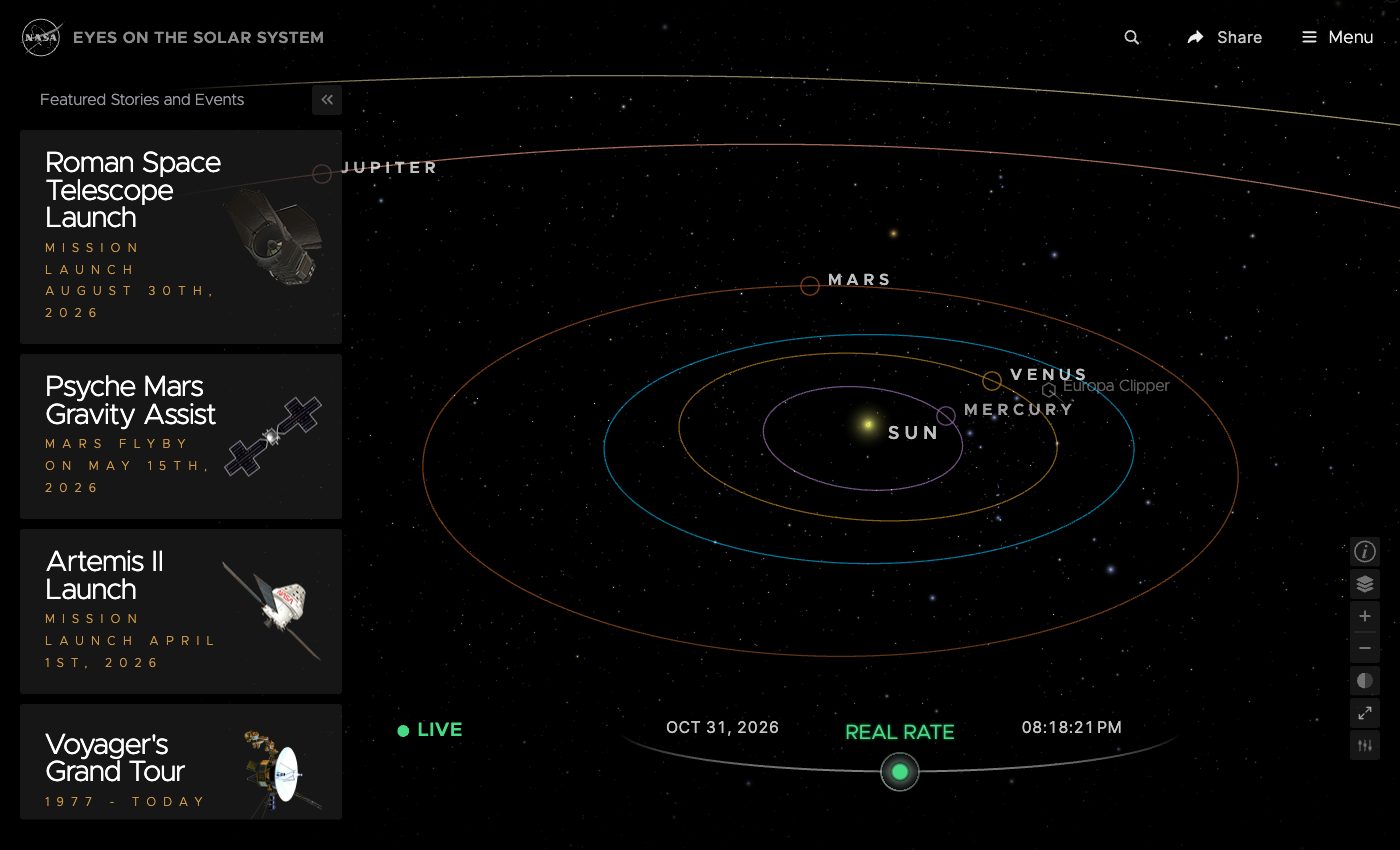 NASA's Eyes on the Solar System, opened on October 31, 2026. The green LIVE marker means every position on screen is real, right now.
Watch the planets move on their real orbits
NASA's Eyes on the Solar System is a 3D model of the solar system that uses NASA's real tracking data. Open it and you see the Sun, the planets, and their orbits drawn as rings. At the bottom is a time bar. Drag it forward and the planets start to move.
Speed it up and kids notice something on their own: Mercury races around the Sun while Mars crawls. Mercury finishes a lap in about 88 days; Earth takes a year. Nobody has to tell them that closer planets move faster. They watch it, then they ask why, and that question is where the real science lesson begins.
How are satellites spread around Earth, and what does each one do?
Click on Earth and zoom in. It is wrapped in thin white lines, and each line is the path of a real spacecraft. You can find the International Space Station, the Hubble Space Telescope, the Landsat Earth-imaging satellites, and many more, each moving on its own orbit at that moment.
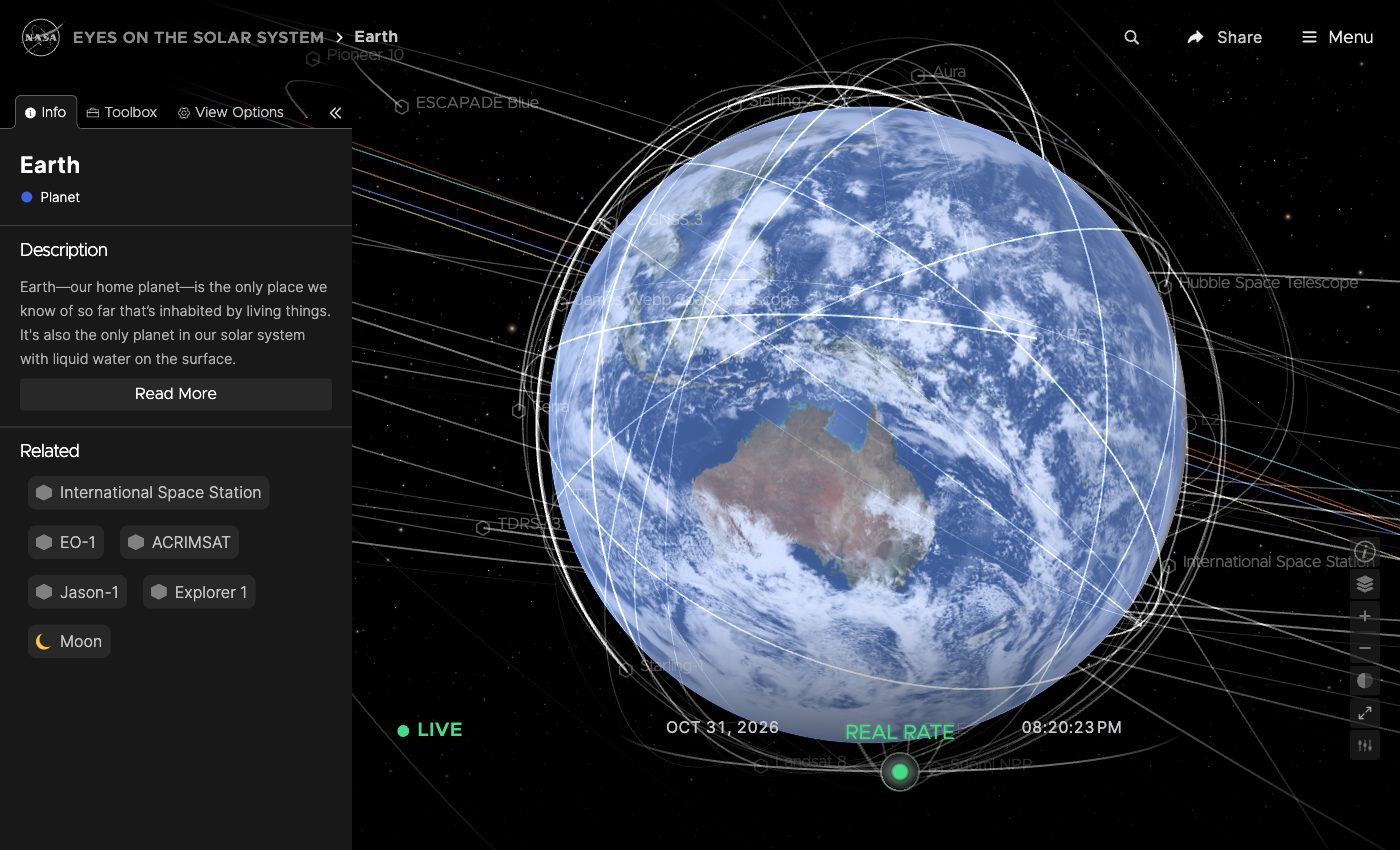 Earth in NASA Eyes: every white line is a real satellite's orbit. Look for the International Space Station, Hubble and Landsat 8.
Click any satellite and a panel opens with what it is for. Landsat 8, for example, belongs to a program that has photographed Earth's whole surface for more than 40 years. The space station is where astronauts live and run experiments. Hubble is a telescope looking outward. A student quickly learns that satellites are not all doing the same job: some watch the weather and the land, some look into deep space, some carry signals back to Earth.
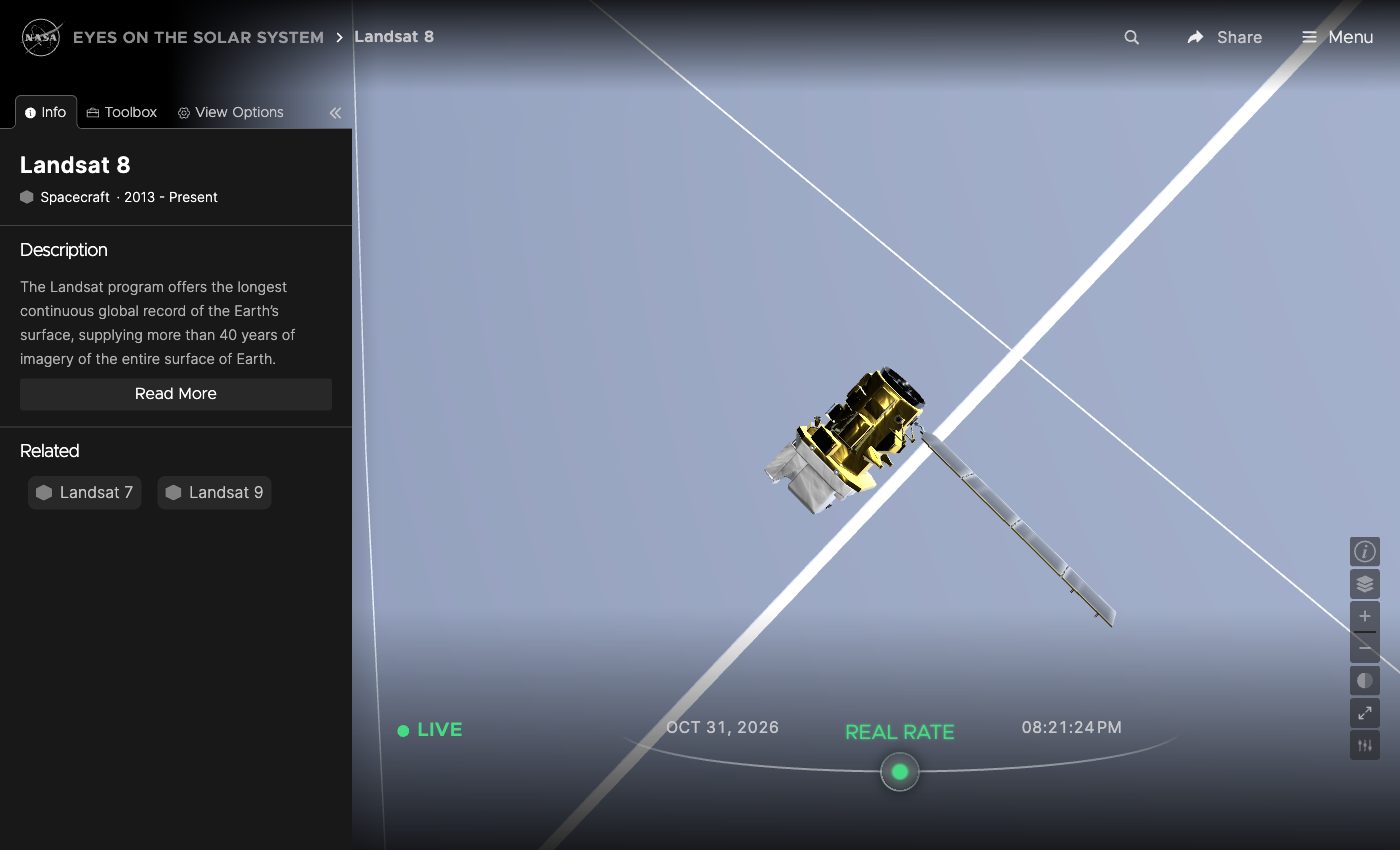 Click a satellite to see its job. Landsat 8 has been in service since 2013.
Farther out, the same tool follows deep-space probes. Click Voyager 1 and you get its timeline: launched in 1977, past Jupiter in 1979, into interstellar space in 2012. Each step can be replayed as an animation. For a middle schooler, that is a history lesson and a physics lesson in one.
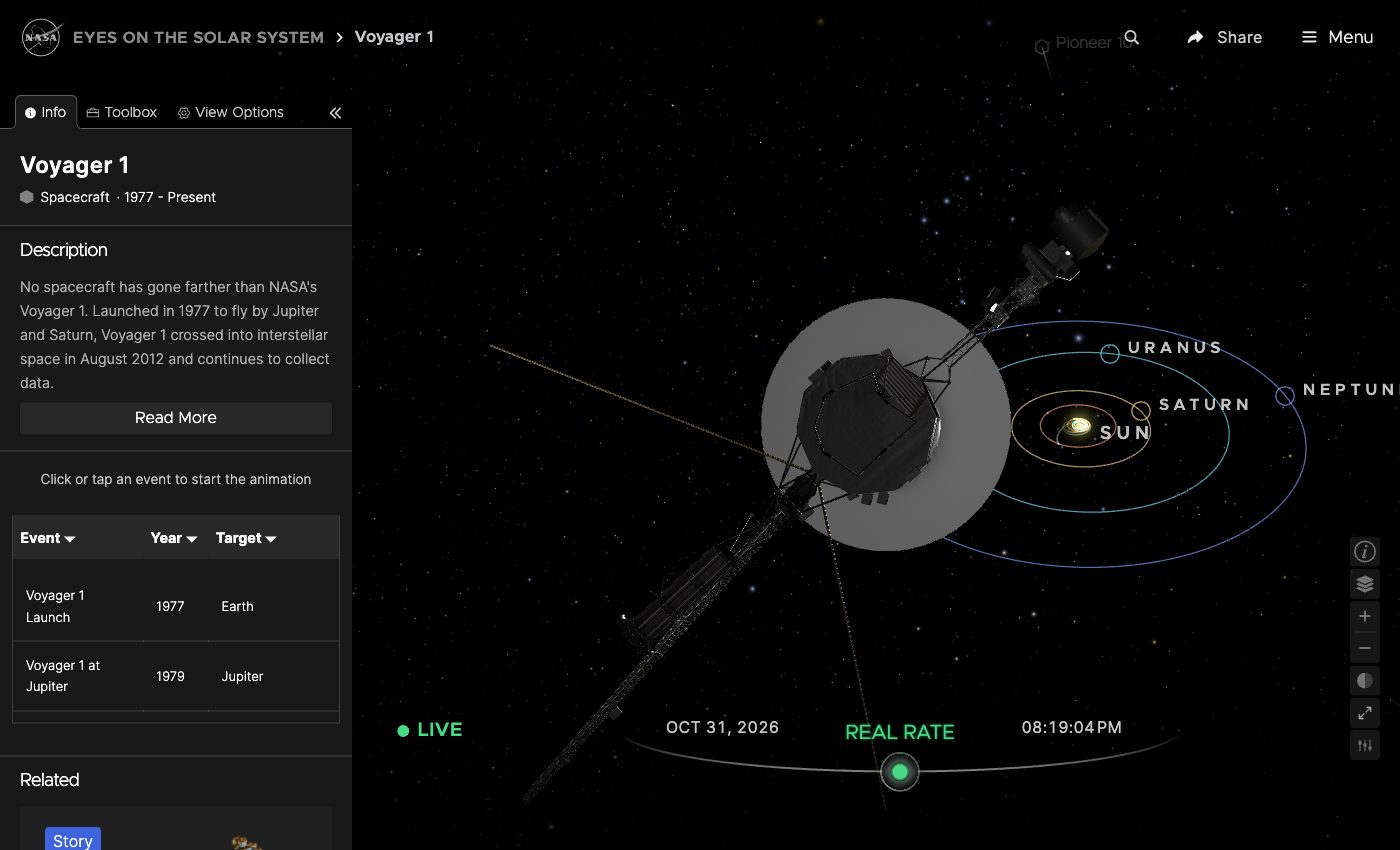 Voyager 1, still sending data back. Click an event in the timeline to replay it.
See tonight's sky over your own house
The second tool, Stellarium Sky, is a full planetarium in the browser. Set your location and it shows the sky above you tonight, with the stars where they really are. Turn on the constellation lines and the drawings, and the dots become Cygnus, Cepheus, Ursa Minor. Planets show up too; on the night we checked, Uranus was sitting in Taurus.
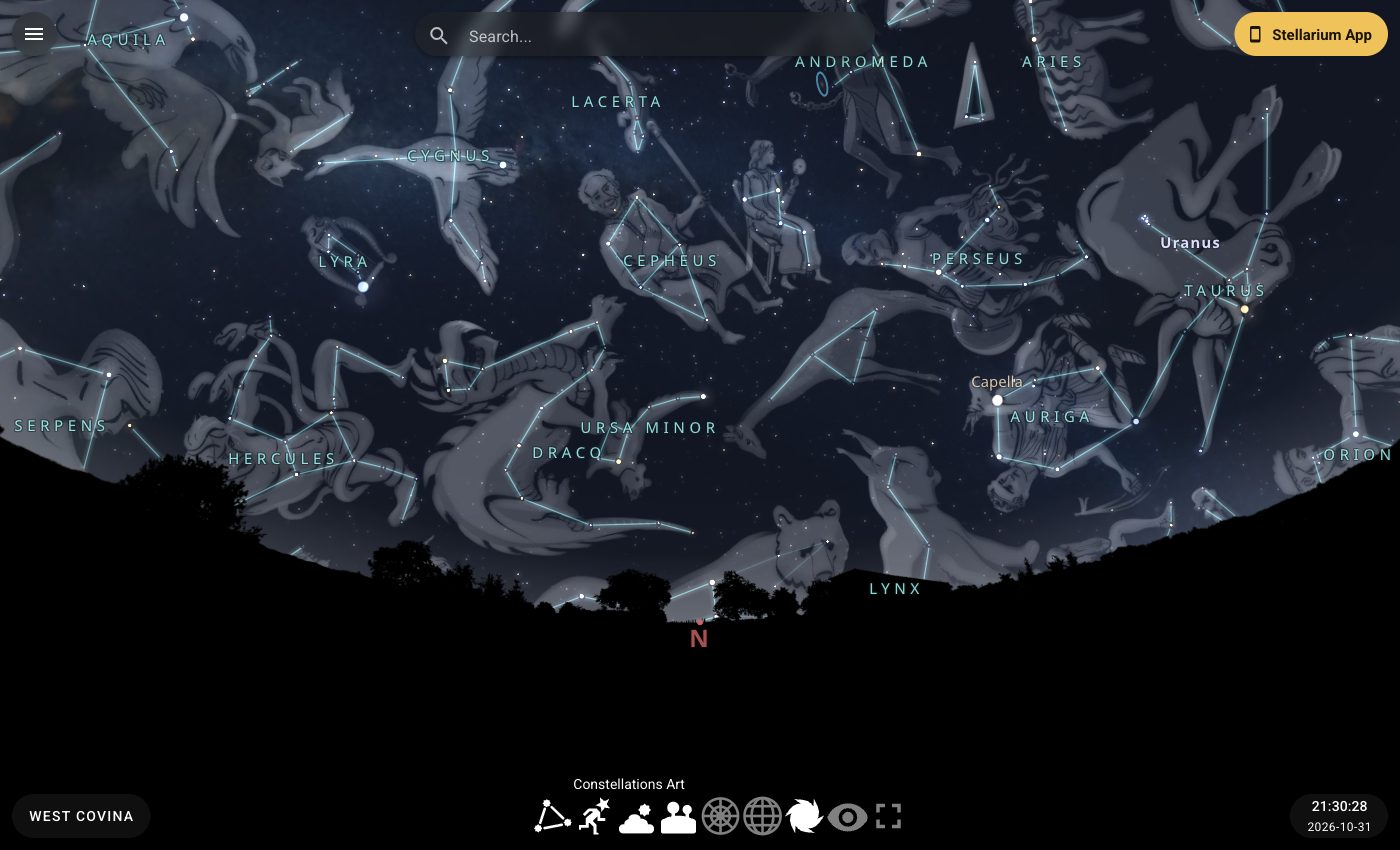 The northern sky over West Covina at 9:30 pm, October 31, 2026, with constellation art turned on.
The best part is that the sky can be checked. A child picks out a constellation on screen, walks into the backyard, and finds the same stars. The screen and the real sky match, and that is a moment kids remember.
How do you make a star trail?
Star trails are those circles you see in long-exposure night photos. They come from Earth spinning. The North Star sits almost directly above Earth's North Pole, so it barely moves, and every other star circles around it at about 15 degrees an hour.
You can build one yourself in Stellarium. We pointed it north from West Covina and took a picture of the sky every minute, from 8 to 11 pm, 181 pictures in all. We turned off the star names first so only the stars themselves would show. Then we stacked the pictures into one image. This is the result:
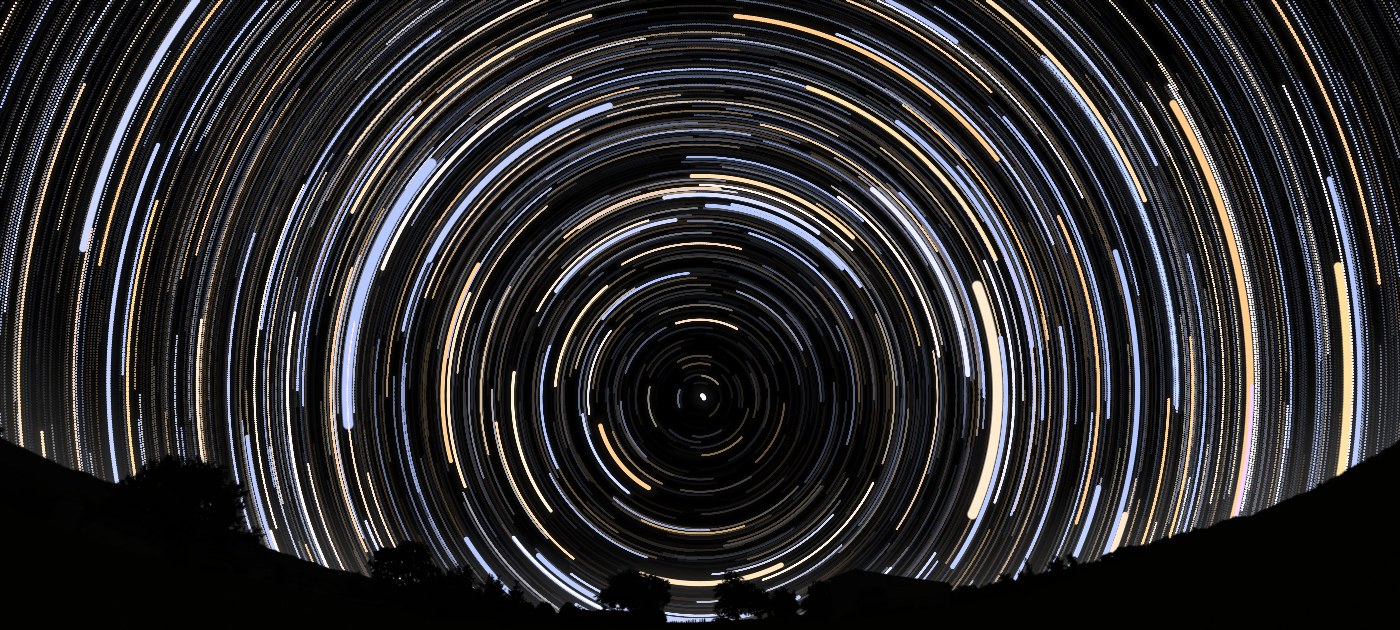 181 frames, one minute apart, stacked into one. Every star circles the North Star at the center.
Each arc is three hours of a star's path. The North Star stays almost still in the middle. A student who makes this picture does not need to be told that Earth rotates; they have just measured it.
From looking to asking
None of this replaces a real telescope or a dark night in the desert. What it changes is the habit. A child who has moved the planets and clicked through the satellites starts asking better questions: why does that orbit tilt, how does a satellite stay up, how did Voyager get so far.
When a question needs a longer answer, our learning resources library has the next step: talks about the universe from scientists such as Stephen Hawking and Neil deGrasse Tyson, plus build-it-yourself projects like a bottle rocket. Our earlier post on the kid who loves stars walks through that shelf. And for how this fits into our robotics, drones and other hands-on work, see AI and STEM at SHA.
Want to see how our teachers use these tools in a real class? Send us a quick inquiry or come visit either of our campuses: 1600 E Francisquito Ave, West Covina, CA 91791, or 311 S Citrus St, West Covina, CA 91791.